
There was an error trying to send your message. Please try again later - Contact form 7 issue is solved.
From last 3 days we getting issue in WordPress website regarding contact form 7, error is There was an error trying to send your message. Please try again later, after all try other method suggested by other blogger, final result zero. At last one of my friend getting solution of this error, If you run WordPress version above 4+, or contact form 7 version is above 4.7 then you need to change mail function in mail.php file.
Method -1 to Solve There was an error trying to send your message. Please try again later.
Here is the complete guideline to solve the problem Contact form 7 issue - There was an error trying to send your message. Please try again later.
For Copy the below code Click_Here
- Access wp-content/plugins/contact-form-7/includes folder via cpanel or FTP.
- Open mail.php file Search for this code
return wp_mail( $recipient, $subject, $body, $headers, $attachments ); - Replace with this code
return mail( $recipient, $subject, $body, $headers );and save file, in most cases problem is solved. - If its not working after this, need to update php version ( Above 5.4 ). Hope problem is solved.
For Copy the above code Click_Here
its working without attachment variable.
Method -2
If above method is not working here is the second method for solve the issue quickly, generally this error is happen when server blocked the mail function, basic php mail function is not working on host. you may contact your host provider or you want to solve self use below steps..
Install Easy WP SMTP plugin. and active the plugin.
Open Plugin Setting page and fill the detail, if you use your gmail id use below settings
SMTP username: Your Gmail address
SMTP password: Your Gmail password
SMTP server address: smtp.gmail.com
Gmail SMTP port (TLS): 587
SMTP port (SSL): 465
SMTP Authentication: yes
You can also use a local email box something@yourdomain.com, it does not have to be an email box at Gmail. In this case you have to use your server SMTP credential. Like below reference.
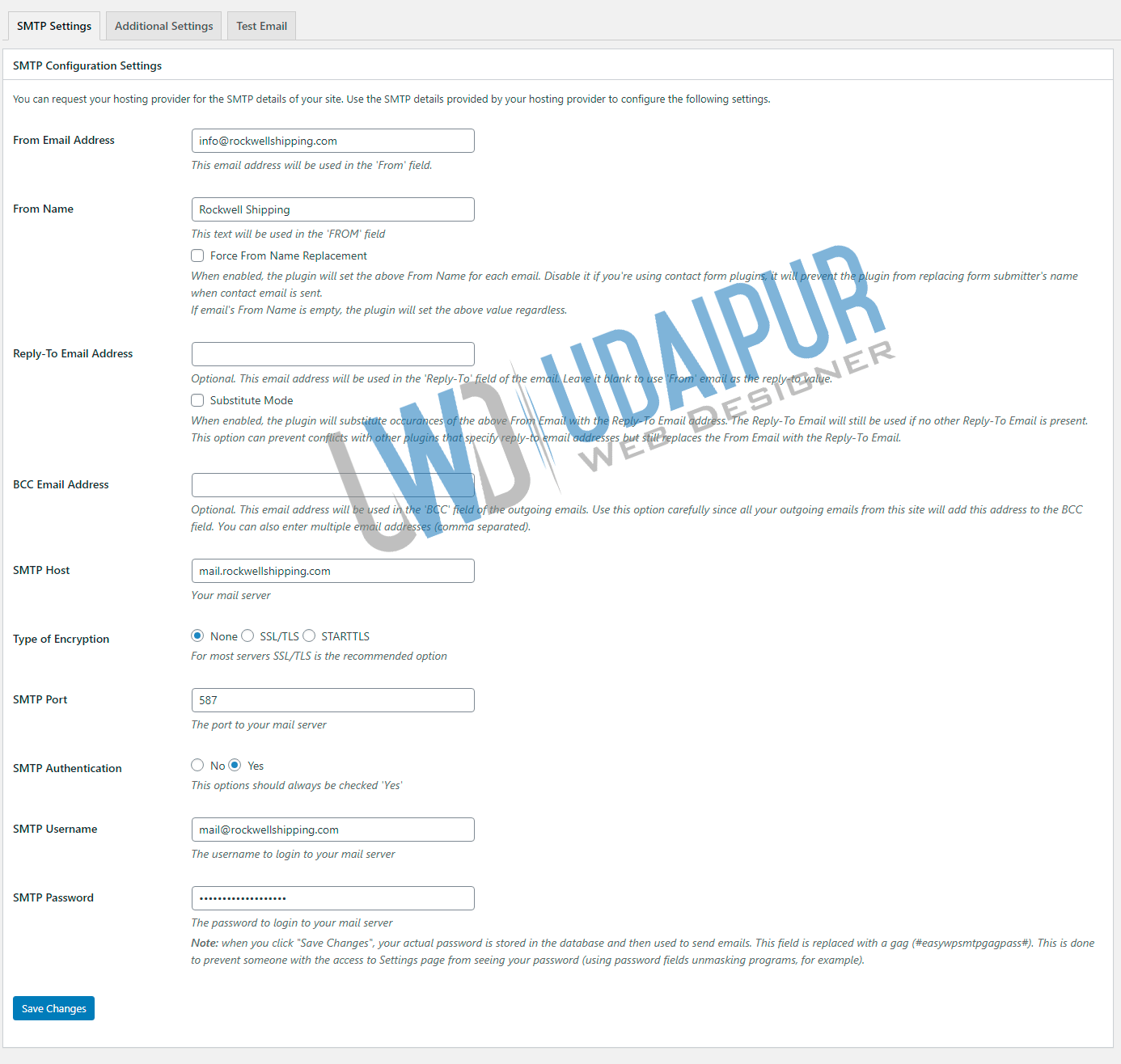
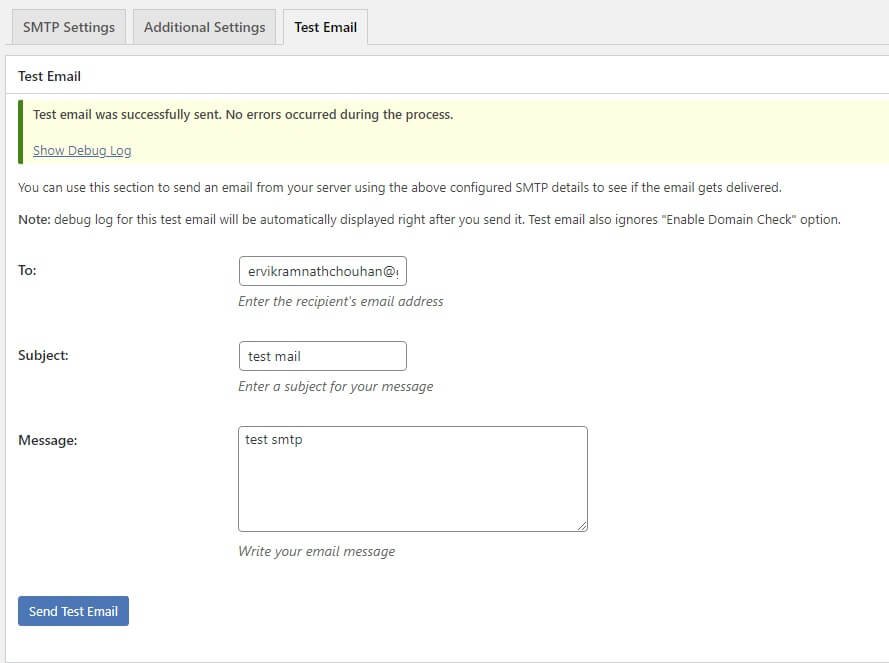
After fill the all details click save changes, and click on Test Email tab and send one test email. final result will be the reason of your happiness. :) check your all contact form of website it may working fine. if you like the post comment below. thanks.








I'm afraid I am still getting the above issue. I have applied your fix, and the version of php on the server is 5.5.38.
Any other ideas?
Thanks.
It working
My php version is 7.2
And I have changed to below code
return mail( $recipient, $subject, $body, $headers );