
Transfer Domain from Godaddy to Godaddy
Hello Friends here at Udaipur Web Designer i'm share how to Transfer Domain from Godaddy to Godaddy panel in 4 easy steps. Many time we only want to Transfer Domain from Godaddy to Godaddy, domain transfer godaddy to godaddy account without any domain transfer cost, check this tutorial, it will defiantly help you to doing this job easy. Login into your godaddy account then click on My Account. After dashboard is load Follow screenshot below.
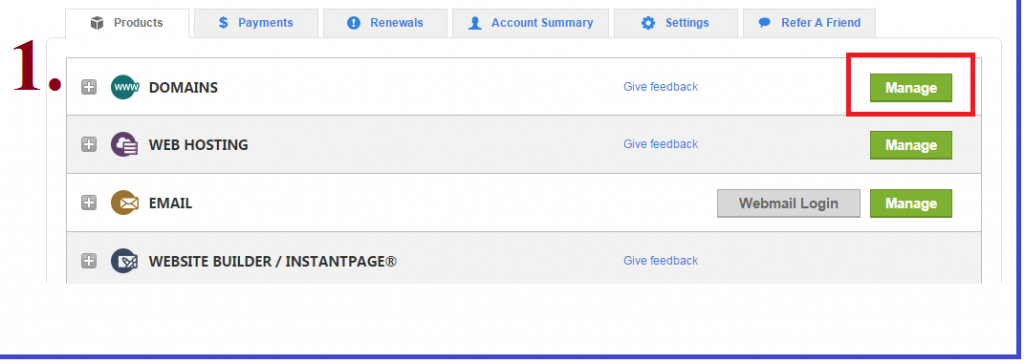
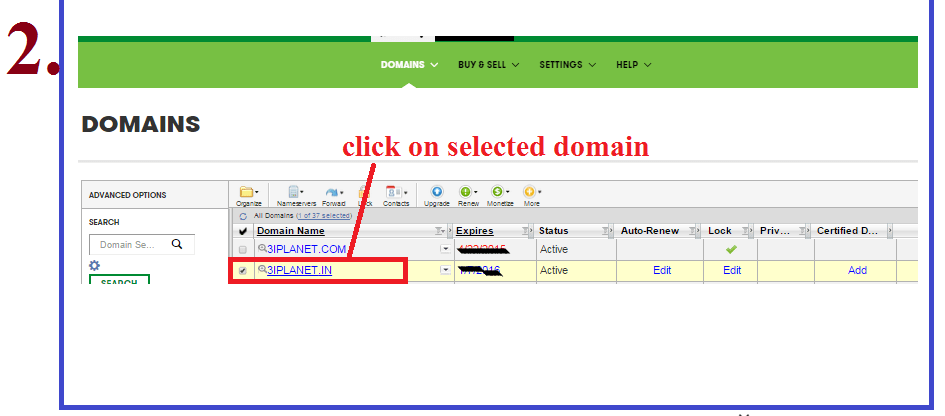
2nd Step - Click on selected domain you want to transfer.
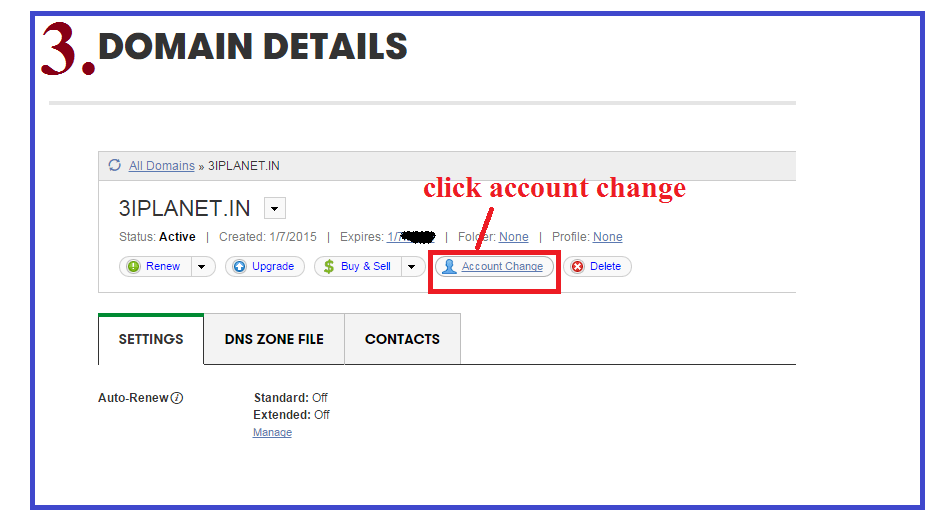
3rd Step - Click on Account Change.
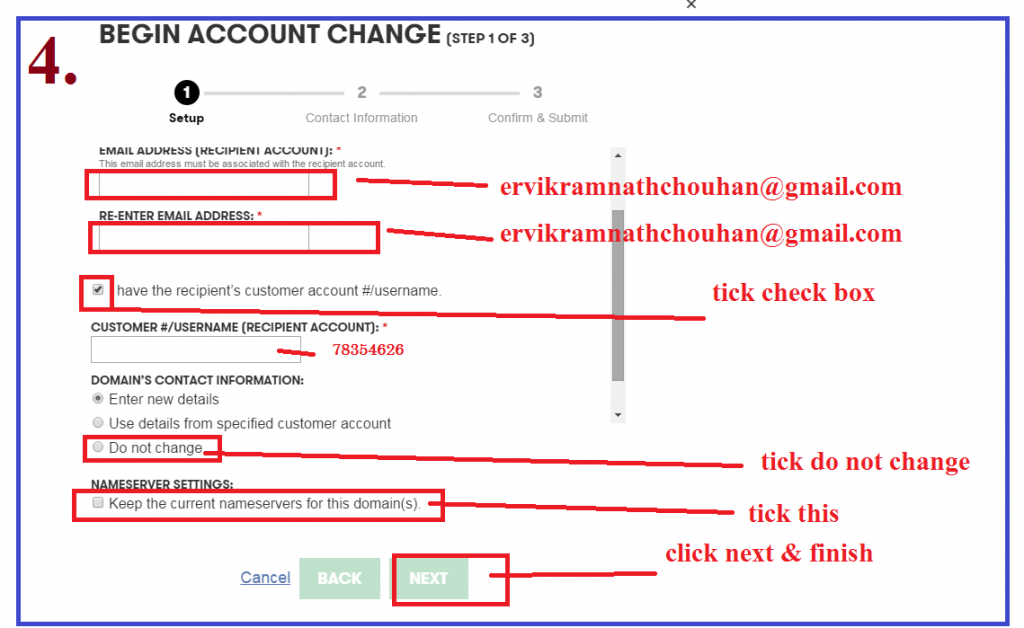
4th Step - Enter mail address of Recipient 2 times, then enter customer no. of Recipient Account, Then Select Next. and its Done.
Have any Question, please use comment box below.
हिंदी में - एक ग़ोडेडि अकाउंट से दूसरे ग़ोडेडि अकाउंट में डोमेन कैसे ट्रान्स्फ़र करे?
केवल 3 इजी स्टेप में आप एक ग़ोडेडि अकाउंट से दूसरे ग़ोडेडि अकाउंट में डोमेन ट्रान्स्फ़र कर सकते हे.
- आपका ग़ोडेडि अकाउंट ओपन कर मैनेज डोमेन पर क्लिक करे
- वो डोमेन सेलेक्ट करे जिसे आप ट्रांसफर करना चा रहे हे, यहां आपको Transfer domain to another Go Daddy account ऑप्शन दिखेगा, आप आप अगले अकाउंट का ईमेल id और कस्टमर नंबर डाल कर ट्रांसफर डोमेन पर क्लिक कर दीजिये।